This is gonna me a mini-article where I do fun stuff with my keyboard because I was bored (seriously I’ve been really bored lately so if you got any work/research you want me to indulge in contact me via seif.sebai.contact@gmail.com)…
also quick note, I’ve literally done this a year ago.. so really I’m just guessing what I did from back then… But I still wanted to write anything because this “blogs” subdomain still contained (ironically) only one blog… so yeah, I needed to put something out there…
With that said we can begin the adventure!
Hardware:
USBHID:
If you played around arduino chips and some embedded stuff you’ve probably heard of USBHID, it’s basically how the usb device communicates with say your laptop… The wiki definition is more formal being
In computing, the USB human interface device class (USB HID class) is a part of the USB specification for computer peripherals: it specifies a device class (a type of computer hardware) for human interface devices such as keyboards, mice, touchscreen, touchpad, game controllers and alphanumeric display devices.
and
Keyboards are a common kind of USB HID class device. The USB HID class keyboard is normally designed with an IN endpoint that communicates keystrokes to the computer and an OUT endpoint that communicates the status of the keyboard’s LEDs from the computer to the keyboard. The PC 97 standard requires that a computer’s BIOS must detect and work with USB HID class keyboards that are designed to be used during the boot process.
To say it simply, two parties need to communicate (pc and keyboard), they need a protocol for said communication, thus USBHID. USB is for the port being in USB and HID is what we call keyboards/mice/touchscreens/controllers etc.. ‘cause you know, they’re how human interfere with the computer…
This whole blog is really simple dunno why im even writing this ngl..
Keyboard:
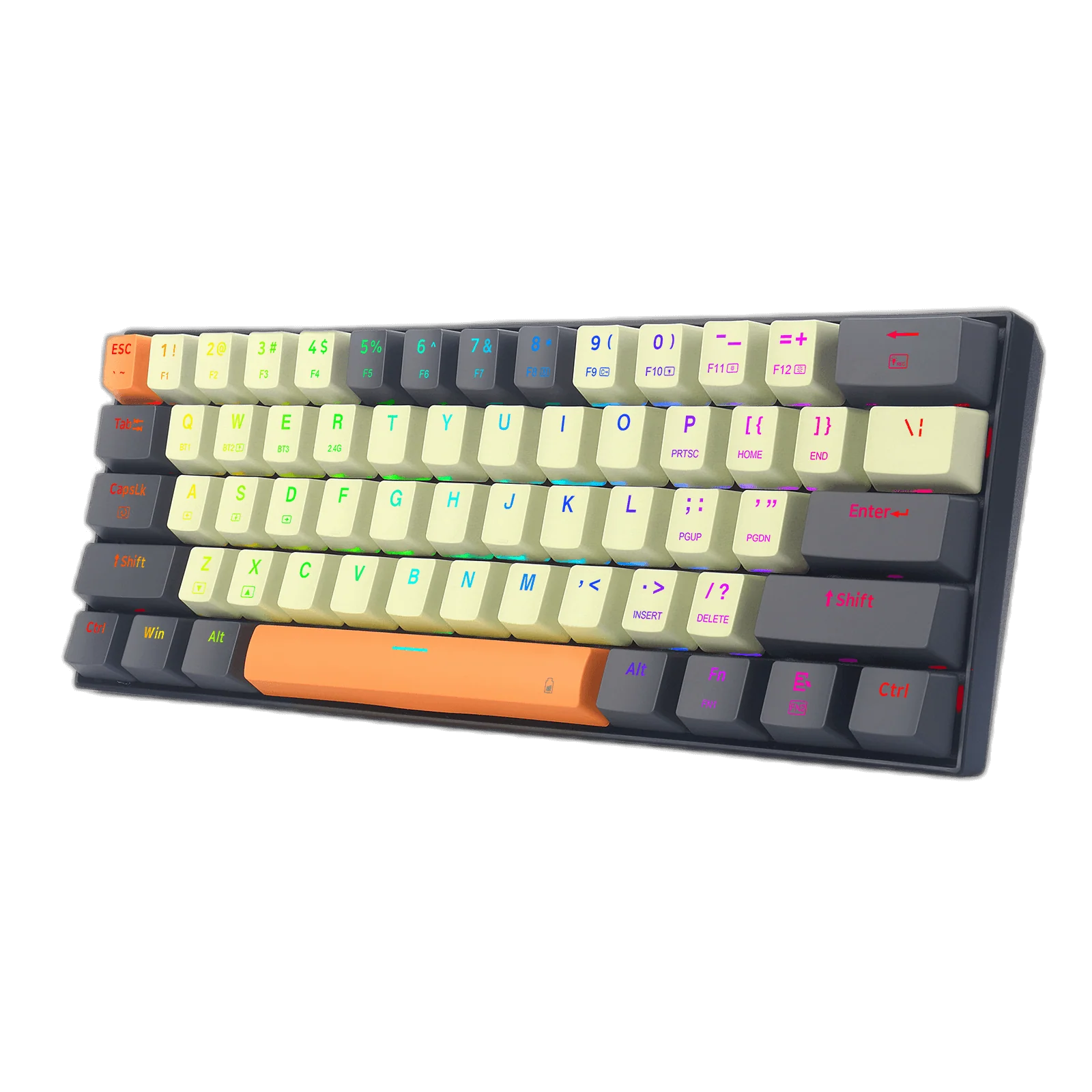
The keyboard I’m using a Redragon K644, meaning it’s a chinese low-cost (50$) keyboard with some proprietary driver (trust me I remember looking everywhere)…
I remember treating the whole thing like a black-box and not actually having to remove any screws as my first approach (looking at the USB packets via wireshark just worked)
USB:
I’m not going to dig deep into it here since we don’t end up needing the usb2.0/3.0 specs, or anything that low-level… but I wanted to leave a few videos for good measure in case anyone wants to make a custom firmware to communicate via USB.
Reversing and exploit:
USB packet capture with wireshark
It is really simple, we use the official driver to play waveforms and add some music… Then we listen to the packets being sent from computer to keyboard adn analyse the USBHID reports being trasfered.
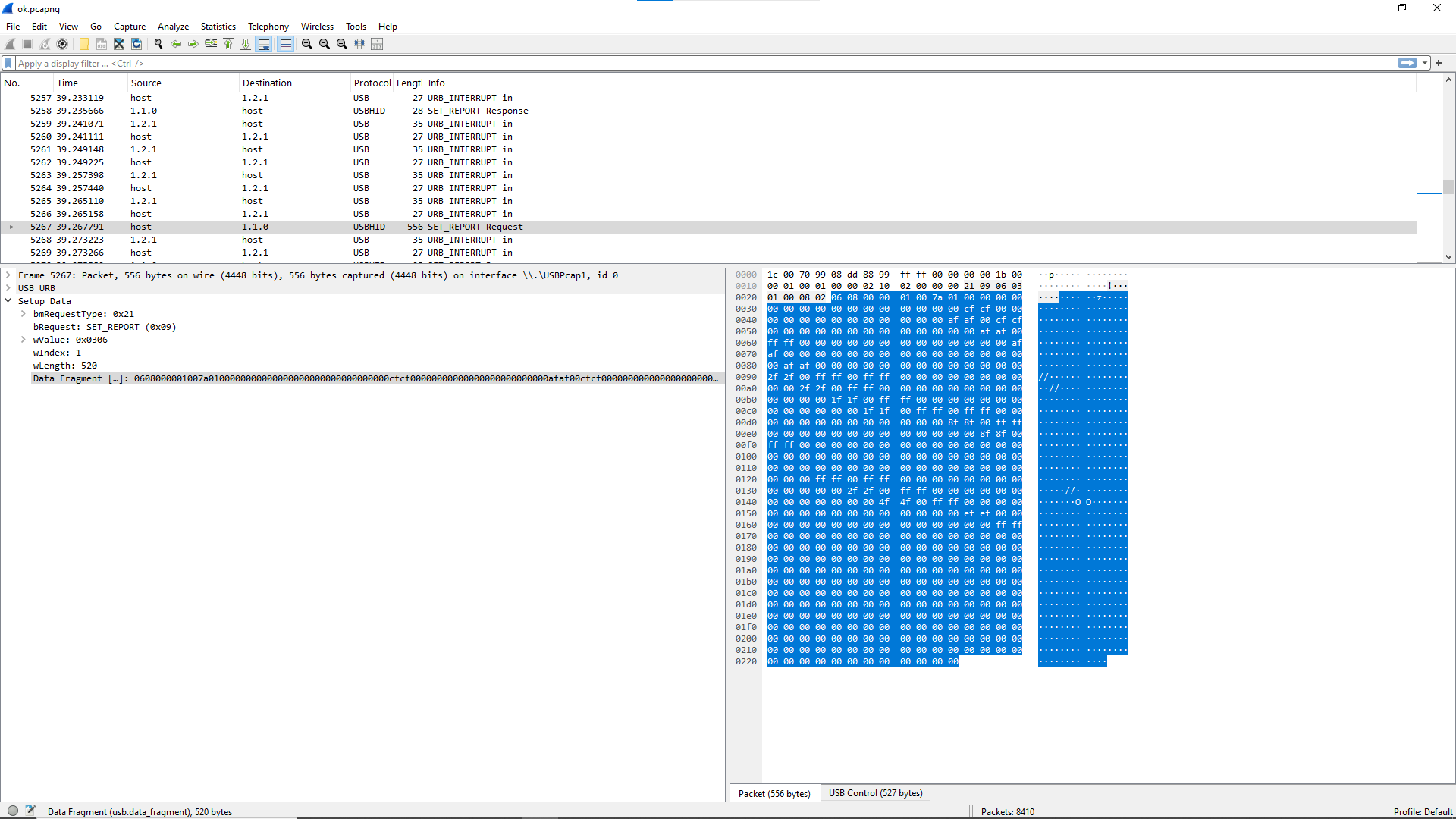
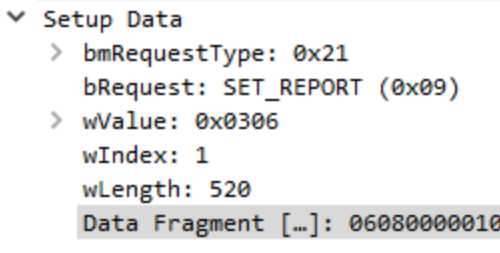
In our case (each device is different) we get these USBHID SET_REPORT requests:
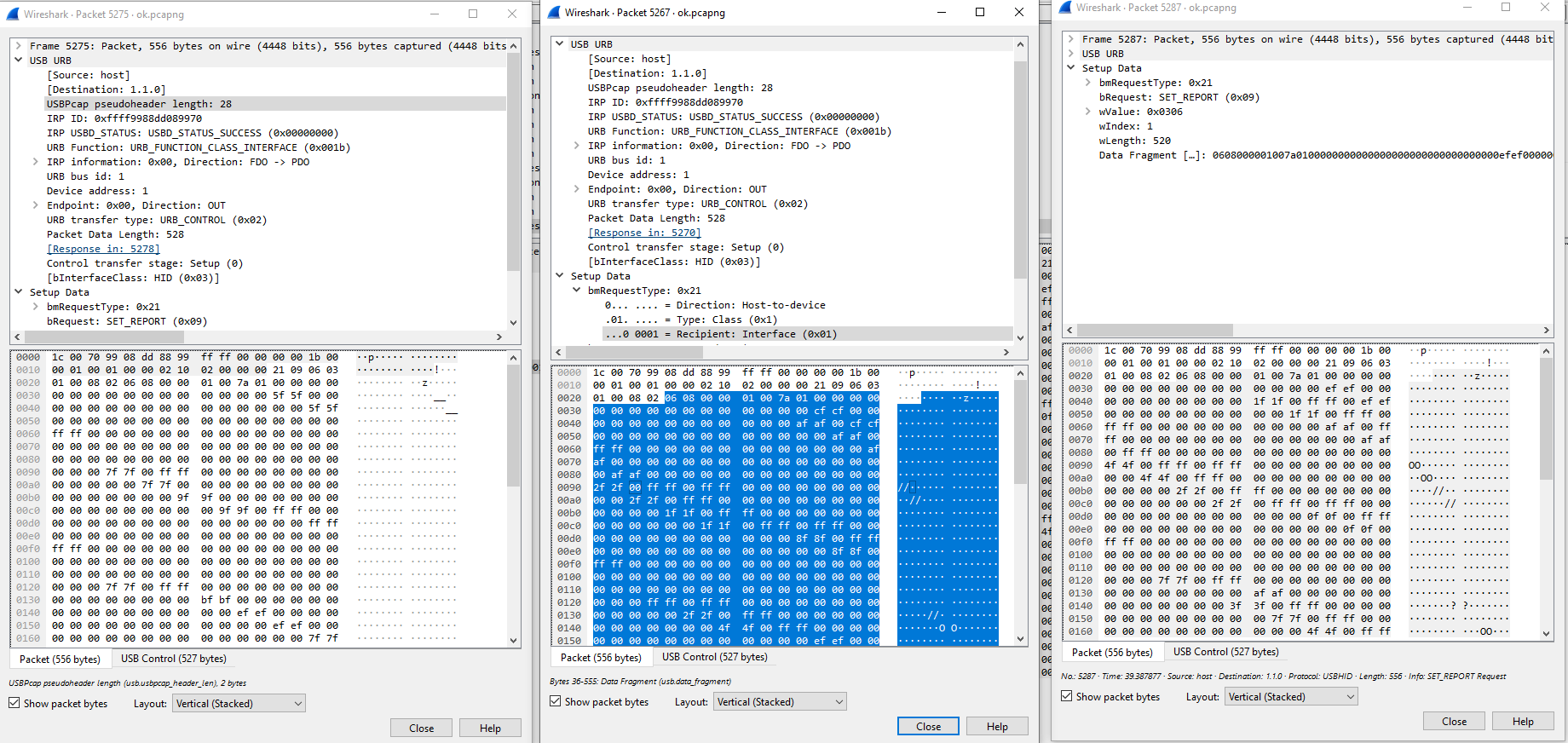
if we dig deeper through various packets we can see that some sections stay the same while others differ
First we have the header section
SET_REPORT Setup Packet format
A SET_REPORT request is simply the computer saying “set your output like this” and waiting for a response from the keyboard… So basically: 1.Control transfer (computer) sends SET_REPORT request 2.Device (keyboard) receives it 3.Device (keyboard) updates internal HID state/output
packetName(size in bytes)
bmRequestType
bRequest
wValue
wIndex
wLength
1 byte
1 byte
2 bytes
2 bytes
2 bytes
Where for SET_REPORT:
1
2
3
4
5
bmRequestType = 0x21 (Host → Device | Class | Interface)
bRequest = 0x09 (SET_REPORT)
wValue = Report Type + Report ID
wIndex = Interface number
wLength = size of report data
I remember that messing around with data and then resending the packets changed the colors on the keyboard (yes it was that easy) however some bytes had to be fixed, mainly the first 8 had to have a 0x08 in teh 2nd byte like this: “xx 08 xx xx xx xx xx xx” later in the exploit we can just render it as “00 08 00 00 00 00 00 00” then each 3 subsequent bytes represented colors for each key…
we have a roughly 17x6=102 keys meaning 102x3=306 bytes I remember having to configure the adjustement corrrectly as it started from the ESC key then to the “`” key then Tabs vertically then horizontally
Exploit:
header setup and padding:
The exploit ran smoothly on linux (because in linux you interact directly with the HID device) while windows gave me some issues (you have to try winUSB and change system drivers and hope that it works) so yeah, everything here is on linux:
First we need to find the keyboard:
1
2
3
4
5
6
7
8
dev = usb.core.find(idVendor=0xVENDOR_ID, idProduct=0xPRODUCT_ID) # where 0xVENDOR_ID and 0xPRODUCT_ID are per vendor/product if dev isNone: raise ValueError("❌ Device not found") # detach kernel driver try: dev.detach_kernel_driver(1) except Exception: pass
then we define a set feature like we have from the analysed packet:
#Padding for the packet
PADDING = bytes.fromhex("00 08 00 00 00 00 00 00")
This allows us to then send the feature with padding
1
send_feature(dev, bytearray(PADDING + frame))
1st exploit: replicate screen
After messing around I wanted to make something very optimized that can serve an actual purpose… That is why I made this screen replicating code… It basically captures the screen then renders it on a 17x6 display:
import usb.core import usb.util import time import random import keyboard
# ========= USB SETUP ========= dev = usb.core.find(idVendor=0x258a, idProduct=0x010c) # keyboard ID if dev isNone: raise ValueError("❌ Device not found!")
defset_index(idx, r, g, b): """Directly set LED by raw index""" if0 <= idx < NUM_LEDS: frame_buffer[idx*3:idx*3+3] = bytes([r,g,b])
# ========= LED TEST MODE ========= defled_test(): print("🔵 LED TEST MODE") print("➡ Lighting one LED at a time to map the layout.") print("➡ Press ENTER to start the Snake game after test.") idx = 0 whilenot keyboard.is_pressed("enter"): clear_board() set_index(idx, 0, 0, 255) # Blue send_frame() print(f"Lit LED index {idx}") idx = (idx + 1) % NUM_LEDS time.sleep(0.3)
# ========= GRID → INDEX MAPPING ========= defxy_to_index(x, y): """ Mapping from (x,y) → LED index. Default guess: each column has 6 LEDs. You may need to change this after LED test. """ return (x * 6) + y # COLUMN-MAJOR assumption
defsetXY(x, y, color="GREEN"): colors = { "BLACK": (0, 0, 0), "WHITE": (255, 255, 255), "GREEN": (0, 200, 0), "RED": (255, 0, 0), "BLUE": (0, 0, 255), "YELLOW": (255, 255, 0), } if x < 0or x >= GRID_WIDTH or y < 0or y >= GRID_HEIGHT: return idx = xy_to_index(x, y) r, g, b = colors[color] set_index(idx, r, g, b)
defplace_food(): """Spawn food only on valid LED positions.""" valid_positions = []
for x inrange(1,GRID_WIDTH-4): for y inrange(1,GRID_HEIGHT-2): idx = xy_to_index(x, y) if idx < NUM_LEDS: # ✅ only use real LEDs valid_positions.append((x, y))
# Filter out snake positions valid_positions = [pos for pos in valid_positions if pos notin snake]
return random.choice(valid_positions)
defset_direction(new_dir): global direction opposite = {"UP":"DOWN", "DOWN":"UP", "LEFT":"RIGHT", "RIGHT":"LEFT"} if new_dir != opposite.get(direction): direction = new_dir
defsnake_game(): global snake, direction, food, score, speed, running print("🐍 Starting Snake! Use arrow keys to move. Press ESC to quit.") clear_board() food = place_food()
while running: if keyboard.is_pressed("esc"): print("👋 Exiting game.") break
# 🔍 DEBUG: Print food info print(f"Food at {food}, LED index {xy_to_index(food[0], food[1])}")
# Move snake head head_x, head_y = snake[0] if direction == "UP": head_y -= 1 elif direction == "DOWN": head_y += 1 elif direction == "LEFT": head_x -= 1 elif direction == "RIGHT": head_x += 1
new_head = (head_x, head_y)
# Collisions if (new_head in snake) or (head_x < 0or head_x >= GRID_WIDTH or head_y < 0or head_y >= GRID_HEIGHT): print(f"💀 Game Over! Final Score: {score}") break
snake.insert(0, new_head)
# Check if food eaten if new_head == food: score += 1 speed = max(0.05, speed - 0.01) food = place_food() print(f"✅ Ate food! New food at {food}") else: snake.pop()
# Draw frame clear_board()
# Draw snake segments for seg in snake: setXY(seg[0], seg[1], "GREEN")
# Draw food setXY(food[0], food[1], "RED")
send_frame() time.sleep(speed)
# ========= MAIN ========= if __name__ == "__main__": led_test() # STEP 1: map LEDs first snake_game() # STEP 2: play snake
Summary and conclusion:
That’s it really… We reversed the communications and make the keyboard do things that it wasn’t intended to do (which is the spirit of netrunning!) Hope you enjoyed this mini-blog… felt like I had to post something but my previous blog has set such a high standard so I’m trying to lower it a bit… So yeah, this was to share the hacking spirit and have fun.